Loading...
How to Use This Tool
- Enter your 14-digit LESCO Reference Number, which you can find on your previous electricity bill under the Customer Information section.
Here’s where to find it on your bill: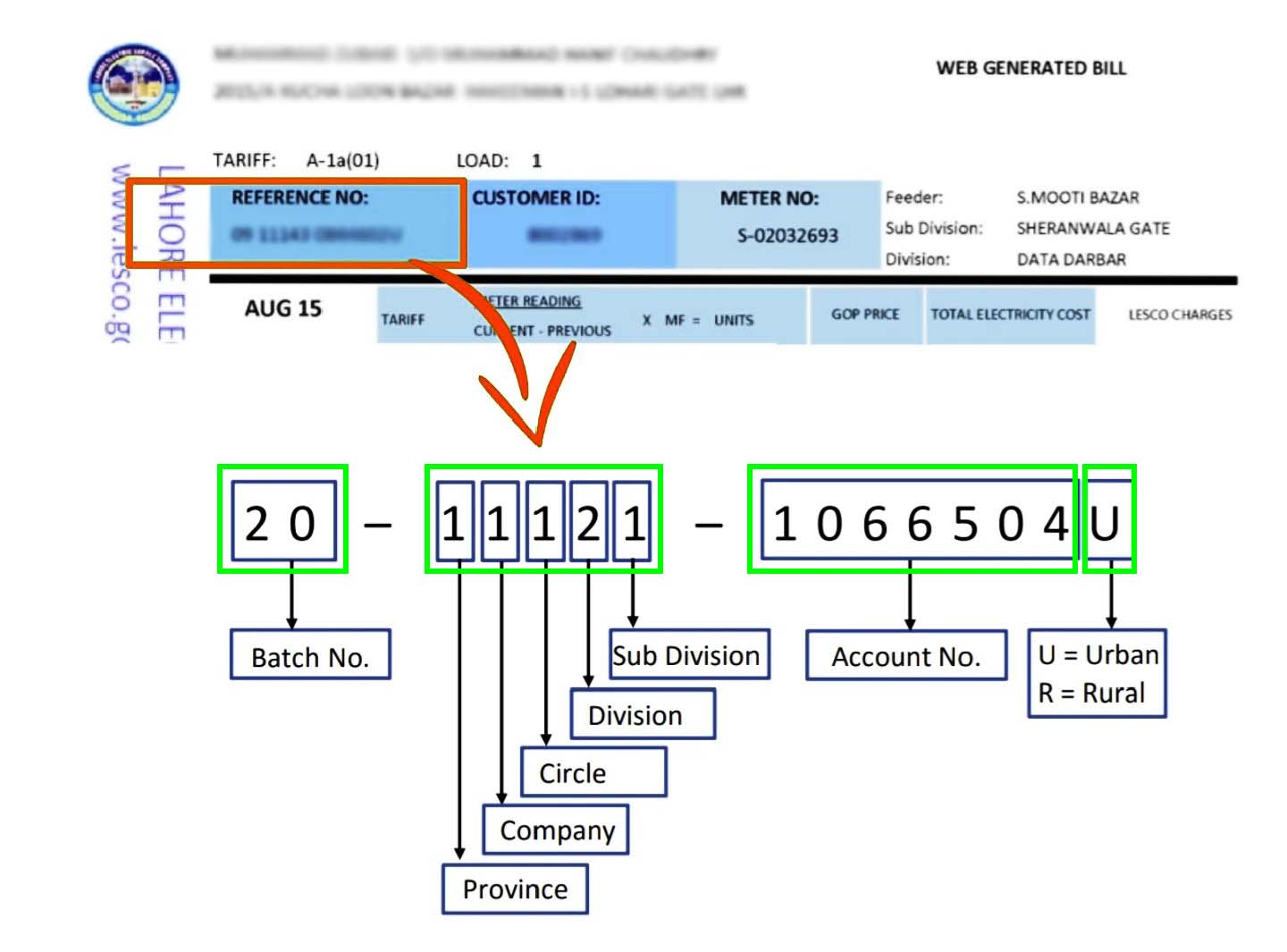 Once you have your reference number, enter it in the field exactly as shown below (without spaces):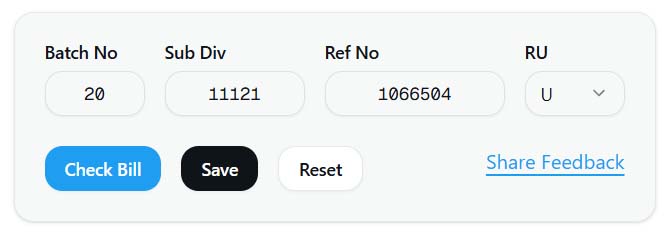
- Click the "Check Bill" button to fetch your current month bill.
- If you want to save the number for next time, add a nickname before submitting.
- Next time, simply click your saved entry to view your bill instantly.
About LESCO
LESCO (Lahore Electric Supply Company) is responsible for supplying electricity to Lahore, Kasur, Okara, and Sheikhupura districts. Consumers can now check their LESCO online bills using the reference number printed on their bills.
This site helps you quickly access your duplicate LESCO bill for viewing, printing, or downloading. You can use it anytime without needing an account.
Frequently Asked Questions
1. What is a LESCO reference number?
It is a unique 14-digit code assigned to your electricity connection. You can find it on the top-left of your bill.
2. Can I download or print my bill?
Yes, once your bill appears, you can download or print it for payment purposes.
3. Is this official LESCO website?
No, this is a free third-party utility that helps users view and download their bills easily. For official information, please visit www.lesco.gov.pk.